
This article explains how to import the Payment Links SDK for iOS. You can install it via Swift Package Manager (SPM) or manually.

Requirements

iOS13.0 or higher
FrameworkStatic .xcframework
Swift5.7 – 5.10
Xcode15.0 or higher

Distribution methods

CocoaPods is deprecated and doesn’t include the latest version of the iOS Payment Links SDK. The last version published to CocoaPods is v1.6.0. Use Swift Package Manager (SPM) instead.

Import the SDK via SPM

To import the Payment Links SDK for iOS via SPM:
  1. Open your iOS project in Xcode.
  2. Go to File > Add Package Dependencies.
  3. Enter the iOS Payment Links SDK repository URL: https://github.com/Appcharge/ios-payment-links. Add GitHub repository
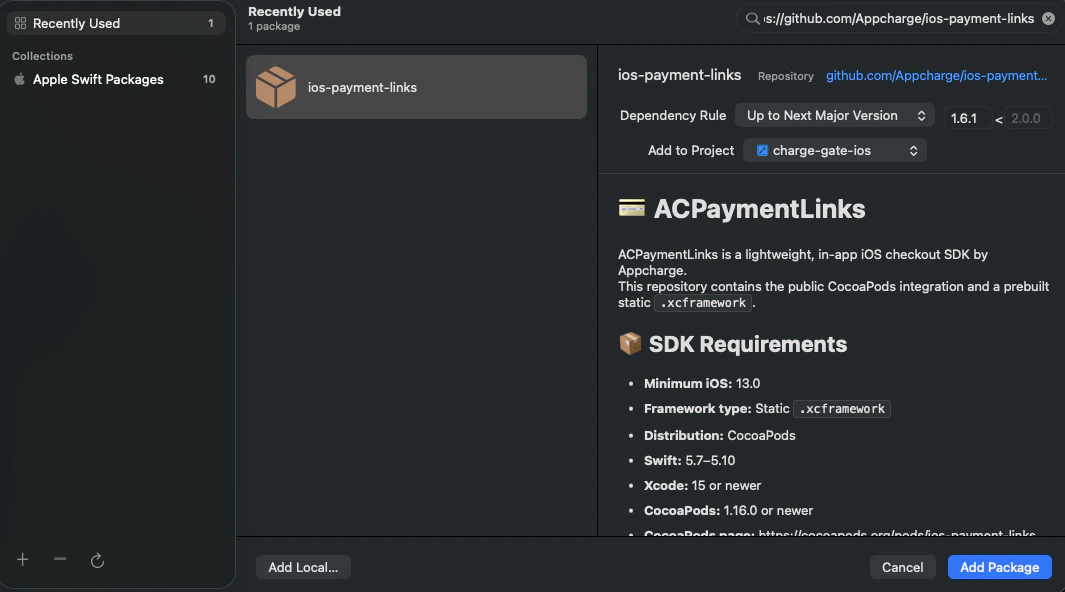
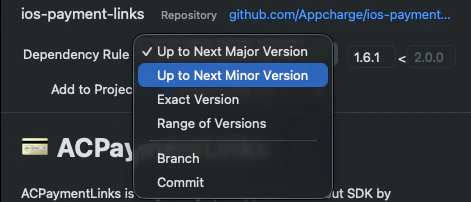
  4. Use the dropdown-menu to select your Dependency Rule:
    • Up to Next Major Version: for the latest major version. (Recommended) Major version
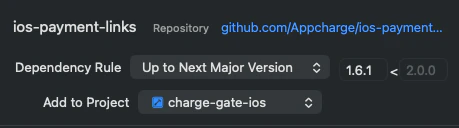
    • Up to Next Minor Version: for the latest minor version. Major version
  5. Use the Add to Project drop-down menu to select your app target. Add to Project

Import the SDK manually

To import the Payment Links SDK for iOS manually:
  1. Clone the Appcharge Payment Links repository to your local machine.
  2. Drag the ACPaymentLinks.xcframework folder into your Xcode project navigator.
  3. In the popup, make sure Copy items if needed is checked.
  4. Select your target and go to the General tab > Frameworks, Libraries, and Embedded Content. Set the SDK to Embed & Sign.

Import the SDK via CocoaPods (Deprecated)

To import the Payment Links SDK for iOS via CocoaPods:
  1. If your project doesn’t already use CocoaPods, you need to install it:
    sudo gem install cocoapods
    
  2. Run --version to determine you current pods version:
    pod --version
    
  3. Initialize pods:
    pod init
    
  4. Install pods:
    pod repo update
    pod install
    
  5. Open your workspace:
    YourApp.xcworkspace
    
  6. Add the Appcharge Payment Links SDK via your Podfile:
    platform :ios, '13.0'
    target 'YourApp' do
        // Import the latest version, or
        pod 'ios-payment-links'
        // Import a specific version 
        pod 'ios-payment-links', '~> <version>'
    end
    
  7. Last, run the following:
    pod repo update
    pod install