> ## Documentation Index
> Fetch the complete documentation index at: https://docs.appcharge.com/llms.txt
> Use this file to discover all available pages before exploring further.
# Integrate with iOS
This article explains how to integrate Unity Payment Links with the iOS platform.
To integrate with iOS:
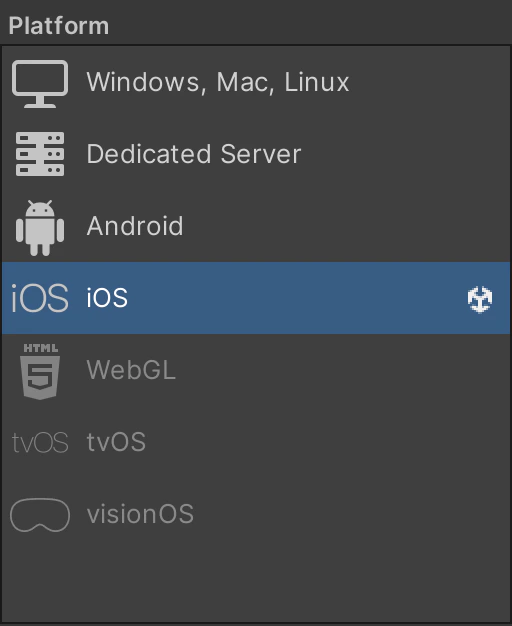
1. Go to the **Build Settings** window and make sure your Unity project is set to **iOS**. Once set, the `AppchargeConfig` file updates to display iOS-specific configuration options.
 2. Your configuration settings should look like this:
 By default, the configuration file is preconfigured for integration. However, you must set the required **Environment** and **Checkout Public Key** fields under **Publisher Info**.
## Publisher Info
These settings can also be changed at runtime, but doing so requires [re-initializing the SDK](./initialize-the-payment-links-sdk#re-initialize-the-sdk).
| Property | Type | Description |
| ------------------- | -------- | ------------------------------------------------------------------------------------------------------------------ |
| Environment | `Enum` | Sets the checkout environment. Use `Sandbox` for testing and `Production` for live payments. |
| Checkout Public Key | `String` | Defines the checkout public key. You can find it by going to the **Publisher Dashboard → Settings → Integration**. |
## Platform Auto Integration Settings
| Property | Type | Description |
| ------------------------- | --------- | ---------------------------------------------------------------------------------------------------------------------------------------------------------------------------------------------------- |
| iOS Browser Mode | `Enum` | Sets current browser mode: `External` for opening default browser or `SFSVC` for embedded Safari. |
| Associated Domain | `Boolean` | Specifies the domain used to redirect players back to your game (without the HTTP protocol). Example: `my.best-app.com`. The domain must be served via **https**, not **http**. |
| Portrait Orientation Lock | `Boolean` | Force the internal browser to open in portrait mode even if the application is set to landscape.
By default, the configuration file is preconfigured for integration. However, you must set the required **Environment** and **Checkout Public Key** fields under **Publisher Info**.
## Publisher Info
These settings can also be changed at runtime, but doing so requires [re-initializing the SDK](./initialize-the-payment-links-sdk#re-initialize-the-sdk).
| Property | Type | Description |
| ------------------- | -------- | ------------------------------------------------------------------------------------------------------------------ |
| Environment | `Enum` | Sets the checkout environment. Use `Sandbox` for testing and `Production` for live payments. |
| Checkout Public Key | `String` | Defines the checkout public key. You can find it by going to the **Publisher Dashboard → Settings → Integration**. |
## Platform Auto Integration Settings
| Property | Type | Description |
| ------------------------- | --------- | ---------------------------------------------------------------------------------------------------------------------------------------------------------------------------------------------------- |
| iOS Browser Mode | `Enum` | Sets current browser mode: `External` for opening default browser or `SFSVC` for embedded Safari. |
| Associated Domain | `Boolean` | Specifies the domain used to redirect players back to your game (without the HTTP protocol). Example: `my.best-app.com`. The domain must be served via **https**, not **http**. |
| Portrait Orientation Lock | `Boolean` | Force the internal browser to open in portrait mode even if the application is set to landscape.
**Note:** You can update this property programmatically before launching the checkout. |
## Enable iOS Framework Integration
Enables automatic integration of required iOS frameworks during the Xcode build process.
Use the following options to exclude parts of the build process. By doing so, you may need to implement part of the process manually.
| Property | Type | Description |
| -------------------------------------------------- | --------- | --------------------------------------------------------------------------- |
| Exclude Set Swift Standard Libraries For Framework | `Boolean` | Skips configuring Swift standard libraries for embedded frameworks. |
| Exclude Set LD Runpath Search Paths | `Boolean` | Prevents modifying `LD_RUNPATH_SEARCH_PATHS` for framework loading. |
| Exclude Set Swift Version | `Boolean` | Skips setting the Swift language version for the framework target. |
| Exclude Set Swift Standard Libraries For Main | `Boolean` | Prevents configuring Swift standard libraries for the main app target. |
| Exclude Set Code Sign Entitlements | `Boolean` | Skips modifying code signing entitlements related to framework integration. |
| Exclude Set Code Sign Style | `Boolean` | Prevents changes to the code signing style (Automatic/Manual). |
| Exclude Add XC Framework | `Boolean` | Skips adding the Appcharge XCFramework to the Xcode project. |
## Enable iOS Entitlements Integration
Enables automatic integration of required iOS entitlements during the Xcode build process.
| Property | Type | Description |
| ------------------------------------- | --------- | ------------------------------------------------------------------------------------------ |
| Exclude Create Entitlements File | `Boolean` | Skips creating or modifying the app entitlements (`.entitlements`) file. |
| Exclude Create Associated Domains Key | `Boolean` | Prevents adding the `com.apple.developer.associated-domains` key to the entitlements file. |
| Exclude Add Associated Domain | `Boolean` | Skips adding the Appcharge associated domain value to the entitlements configuration. |
## Enable iOS URL Scheme Integration
Enables automatic integration of the Appcharge iOS URL scheme during the Xcode build process.
| Property | Type | Description |
| -------------------------------- | --------- | ------------------------------------------------------------------------------------- |
| Exclude Set URL Scheme Type Role | `Boolean` | Skips setting the URL scheme type role (e.g., Viewer/Editor) in the app’s Info.plist. |
| Exclude Set URL Scheme Name | `Boolean` | Prevents setting or modifying the URL scheme display name in the Info.plist. |
| Exclude Add URL Scheme | `Boolean` | Skips adding the Appcharge URL scheme entry to the app’s URL types configuration. |
### General Auto Integration Settings
| Property | Type | Description |
| -------------------------- | --------- | ---------------------------------------------------------------------------------------------------------------------------------------------------------- |
| Enable Integration Options | `Boolean` | Determines whether the SDK automatically applies required Xcode configurations during build. If disabled, you’ll need to configure them manually in Xcode. |
| Enable Debug Mode | `Boolean` | When enabled, prints a summary of automatic integration changes after the build completes. |
Disabling **Enable Integration Options** prevents the automatic configuration required for the Checkout SDK from functioning correctly. If disabled, you must manually configure each required file in Xcode.